How to Read a Metric Tape Measure: mm, cm, & Meters
Published: June 3, 2026
While the Imperial system (inches and feet) rules construction in the United States, the Metric System is the standard for the rest of the world. Even in the US, many woodworkers, engineers, and digital designers prefer the metric system because it relies on base-10 math instead of complex fractions. There are no sixteenths or thirty-seconds of an inch to calculate; everything is represented in clean, easy-to-use decimals.
In this guide, we'll teach you exactly how to read a metric tape measure, what all the tick marks represent, and how to convert units on the fly.
The Metric Hierarchy: Centimeters and Millimeters
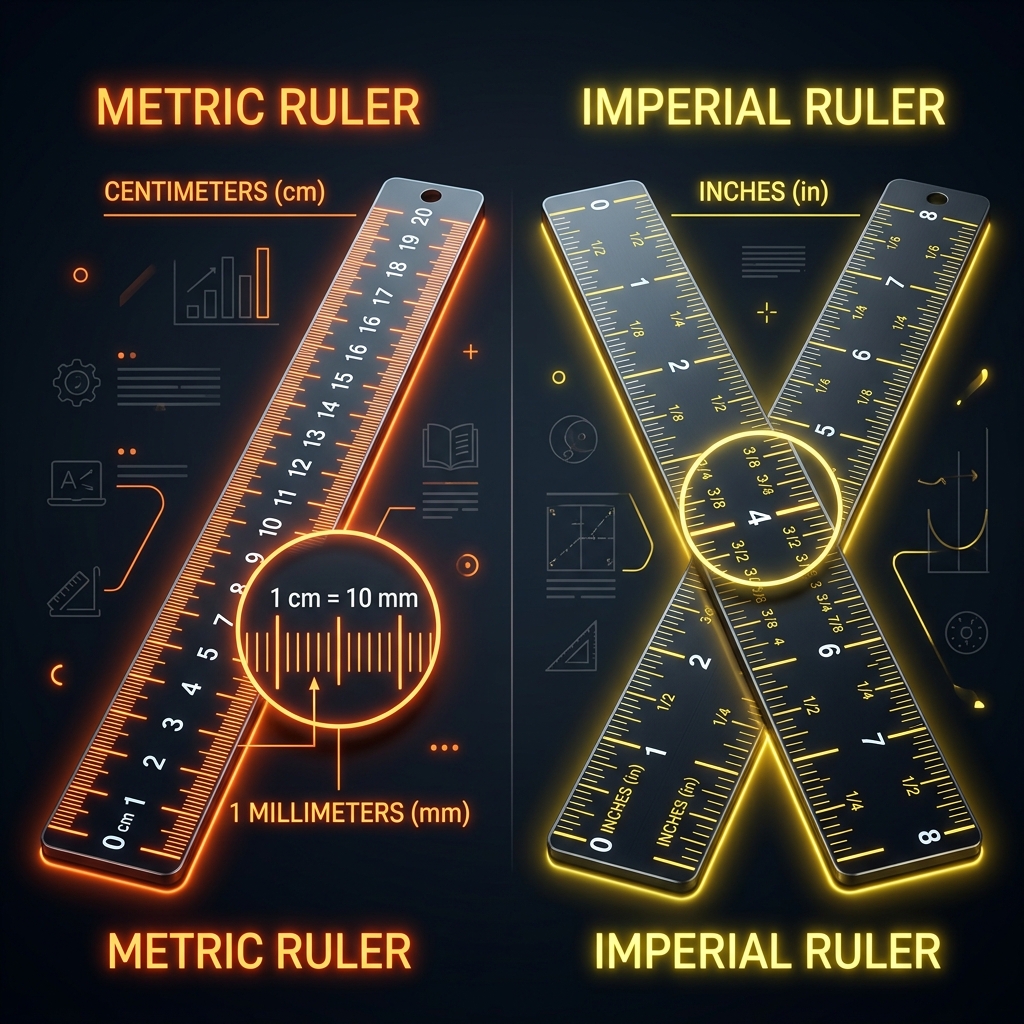
A standard metric tape measure is divided into three primary units of measurement:
- Millimeters (mm): The smallest tick marks on the blade. There are exactly 10 millimeters in a centimeter.
- Centimeters (cm): The numbered marks. These are the main increments you'll read. There are 100 centimeters in a meter.
- Meters (m): The largest unit, usually marked with a distinct color or label (e.g., "1m" or a red "100" for 100cm).
The Base-10 Advantage: Because the metric system is decimal-based, moving between units is just a matter of shifting the decimal point. For example, 15.4 centimeters is exactly 154 millimeters or 0.154 meters.
How to Identify the Ticks on a Metric Blade
When looking at a metric measuring tape, you'll see a series of black lines between the centimeter numbers. Here is what they mean:
- Numbered Ticks: These are the centimeters (1, 2, 3, etc.). These lines are the tallest on the blade.
- The Half-Centimeter Mark (5 mm): Sits exactly halfway between two centimeter numbers. It is a medium-height line, helping you quickly identify the 5 mm mark without counting.
- Millimeter Marks (1 mm): The shortest lines on the blade. There are four of these between a centimeter number and the 5 mm mark, and another four between 5 mm and the next centimeter.
Step-by-Step: Reading a Metric Measurement
To read a measurement on a metric tape:
- Locate the Centimeter: Look at the last numbered centimeter mark before the edge of the object you are measuring. (e.g., 42 cm).
- Identify the Millimeters: Count the small ticks past that number. If it goes past the 42 mark and stops 7 ticks past, you have 7 millimeters.
- Combine the Values:
- If you are working in centimeters, write: 42.7 cm.
- If you are working in millimeters, write: 427 mm.
Important Metric Markings to Know
Just like the Imperial tape has red studs and black diamonds, metric tapes often have layout indicators:
- Bold Numbers at Every 10 cm: Decimeters (10 cm, 20 cm, 30 cm...) are highlighted to help you scan the tape quickly.
- Red Numbers for Meters: When you reach a full meter, the number is usually written in red or accompanied by a symbol (e.g., 1m, 2m) to mark the transition.